Advanced usage
The quick start uses a torchvision classifier, but TorchCAM works with many PyTorch classifiers. This guide covers the questions that come up most often once you move past the basic example. Hitting an error rather than a usage question? Jump to Troubleshooting.
Model and task compatibility
Spatial CAM methods need a feature tensor and a scalar output target. Text classifiers use TokenIG at their input
embedding layer. The integration path depends on what your model accepts and returns:
| Model or task | Support | What TorchCAM needs |
|---|---|---|
| CNN classifier | Native | Class logits shaped (N, num_classes) and a spatial target layer. |
| Batched, 3D, or video classifier | Native | One class index per sample and the correct input_shape. |
| Multi-input model | Adapter required | Wrap the inputs into one tensor argument while preserving the hooked path. |
| Tensor, per-sample list, or dictionary output | Native with targets |
Reduce each sample output to one scalar tensor. |
| torchvision VisionTransformer | Native with LeGrad |
Target supported encoder blocks; other CAM methods need reshape_transform. |
| timm or Hugging Face CNN | Native (timm) or logits wrapper (Hugging Face) | See timm and Hugging Face models. |
| Other ViT or Swin classifier | Adapter required | Set target_layer and reshape tokens with reshape_transform; LeGrad only supports the contract below. |
| Detection, segmentation, embedding, or other output | Native with targets |
Define a scalar target; gradient methods require it to remain differentiable. |
| Multimodal language model | State adapter with TAM |
Final language-model image/text states, context token IDs, and a linear vocabulary head. |
| Text decision classifier | Native with TokenIG |
Differentiable class scores and an input embedding module; optional output selector and token mask. |
Use your own model
TorchCAM's class-index API works with an nn.Module whose forward returns logits of shape (N, num_classes) — it
is not limited to torchvision. The targets API below also supports other batched outputs. In both cases, tell the
extractor which layer to read the activations from.
List the candidate layers by name:
Then pass the name or the module itself as target_layer:
from torchcam.methods import SmoothGradCAMpp

cam_extractor = SmoothGradCAMpp(model, target_layer="features.7")        # by name
# equivalently
cam_extractor = SmoothGradCAMpp(model, target_layer=model.features[7])   # by module
If you omit target_layer, TorchCAM runs a dummy forward of shape (1, *input_shape) (default
(3, 224, 224)), picks the last layer whose output still has spatial dimensions, and logs the choice. The search
stops at the first layer returning a dictionary, such as a detection or segmentation backbone, and skips layers that
run more than once or change the batch size. If your model expects a different input, set input_shape accordingly — otherwise the dummy forward will fail or pick
the wrong layer:
Choosing the target layer
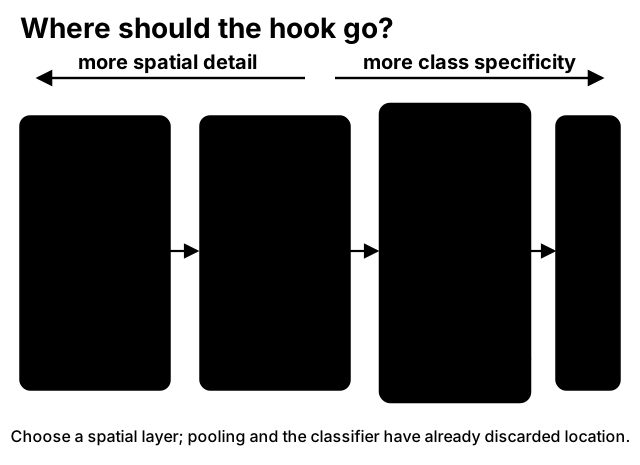
A CAM is computed on the activation map of a convolutional (spatial) layer. The default — the last convolutional layer before global pooling — is the most class-discriminative but also the coarsest. Earlier layers give finer, less semantic maps. Rules of thumb for common torchvision backbones:
| Architecture | Typical target_layer |
fc_layer for CAM |
|---|---|---|
| ResNet / ResNeXt | "layer4" |
"fc" |
| DenseNet | "features" |
"classifier" |
| MobileNet v2 | "features" |
"classifier.1" |
| EfficientNet | "features" |
"classifier.1" |
| MobileNet v3 | "features" |
two Linear layers — CAM n/a |
| VGG | "features" |
three Linear layers — CAM n/a |
| SqueezeNet | "features" |
no Linear head — CAM n/a |
When does the base CAM work?
CAM needs exactly one nn.Linear classification head fed by global pooling, and resolves it
automatically. It therefore works for ResNet, DenseNet, MobileNet v2, EfficientNet, etc., but not for
models with several linear layers (VGG, MobileNet v3) or none (SqueezeNet) — there, use a gradient- or
score-based method, or pass a compatible fc_layer explicitly. All the other methods have no such
requirement.
You can also pass a list of layers and fuse them — LayerCAM benefits a lot from this:
from torchcam.methods import LayerCAM

with LayerCAM(model, ["layer2", "layer3", "layer4"]) as cam_extractor:
    out = model(input_tensor)
    class_idx = out.squeeze(0).argmax().item()
    cams = cam_extractor(class_idx, out)        # one map per layer
    fused = cam_extractor.fuse_cams(cams)       # single fused map
RefineCAM formalizes multi-layer fusion by normalizing and multiplying the maps. It requires at least two target
layers and uses GradCAMpp as its base method by default. Pass another extractor class to reuse its weighting:
from torchcam.methods import LayerCAM, RefineCAM

with RefineCAM(model, ["layer2", "layer3", "layer4"], base_method=LayerCAM) as cam_extractor:
    out = model(input_tensor)
    refined = cam_extractor(out.squeeze(0).argmax().item(), out)[0]
FinerCAM instead changes what a gradient method explains. For target class \(c\) and reference classes \(d_t\),
it replaces the target score with the contrastive objective
The references are averaged before the base method's final CAM ReLU. By default, gamma=0.6 and up to three
classes whose logits are closest to the target logit are selected automatically, excluding the target. Pass an
integer or flat list to share explicit references across the batch, or an equal-width nested list with one row per
sample. Explicit references override num_references.
from torchcam.methods import FinerCAM, LayerCAM

with FinerCAM(model, "layer4", base_method=LayerCAM) as cam_extractor:
    out = model(input_tensor)
    class_idx = out.squeeze(0).argmax().item()
    cams = cam_extractor(class_idx, out, comparison_idx=[12, 37, 84])
FinerCAM supports GradCAM, GradCAMpp, and LayerCAM, requires the original differentiable score tensor, and
returns one tensor per selected layer. Its intended behavior is improved discrimination between fine-grained
classes; it is not a universal guarantee of better localization. Score-based CAM methods are not approximated.
Understanding targets and the call signature
class_idx(intorlist[int]) — the index, in the output logits, of the class you want to explain. To explain the top prediction use the argmax (out.squeeze(0).argmax().item()), but you can pass any valid index to see where the model looks for that class. For a batch, pass one index per sample (see below).scores— the raw model output.class_idxexpects a tensor shaped(N, num_classes);targetsaccepts a batched tensor, one list item per sample, or a dictionary of batched tensors. Required by gradient methods; ignored byLeGrad,SmoothGradCAMpp, andCAM. The Score-CAM family re-runs the stored input, soscorescan be omitted.targets— one callable shared by the batch or one callable per sample. Each callable receives one sample's model output and must return a scalar tensor. Pass exactly one ofclass_idxortargets.normalized— whenTrue(default) each map is min-max normalized to[0, 1], which is what you want for visualization/overlay. Passnormalized=Falseto get the raw weighted maps, e.g. when comparing magnitudes across layers before fusing them yourself.- Returns a
listof activation maps, one tensor per hooked layer, each of shape(N, H, W). With a single layer and a single image, the map you want iscams[0].squeeze(0).LeGradandRefineCAMinstead return a one-element list containing their final fused map.
Gradient-based extractors also accept retain_graph=True (forwarded to the gradient computation), needed when you call
the extractor several times after a single forward — see
Troubleshooting.
targets opens the same extractor API to detection, dense predictions and embeddings without a task-specific
adapter. For a torchvision detector, explain the top-scoring box:
from torchvision.models.detection import fasterrcnn_resnet50_fpn_v2
from torchcam.methods import GradCAM

model = fasterrcnn_resnet50_fpn_v2(weights="DEFAULT").eval()
with GradCAM(model) as cam_extractor:  # resolves to backbone.body.layer4, which feeds every FPN level
    detections = model(input_batch)
    cams = cam_extractor(scores=detections, targets=lambda sample: sample["scores"][0])
For a torchvision segmentation model, which returns a dictionary of batched tensors, explain class 5 inside a region mask:
with LayerCAM(model) as cam_extractor:  # resolves to backbone.layer4 for DeepLabV3 and FCN ResNets
    output = model(input_batch)  # {"out": (N, classes, H, W), ...}
    cams = cam_extractor(scores=output, targets=lambda sample: sample["out"][5][region_mask].mean())
For an embedding tensor shaped (N, embedding_dim), the target can be its similarity to another embedding:
import torch.nn.functional as F

target = lambda embedding: F.cosine_similarity(embedding, text_embedding, dim=0)
with LayerCAM(model, target_layer="visual.layer4") as cam_extractor:
    image_embeddings = model(input_batch)
    cams = cam_extractor(scores=image_embeddings, targets=target)
Tensor outputs are split along their batch dimension. A model may instead return a list with one item per sample,
such as detection dictionaries; in that case each target receives the corresponding item. Dictionaries of batched
tensors, such as segmentation or Hugging Face outputs, are split into one dictionary per sample. GradCAM,
GradCAMpp, SmoothGradCAMpp, XGradCAM, LayerCAM, ScoreCAM, SSCAM, and ISCAM support this contract, as
does RefineCAM when its base method supports it. CAM, FinerCAM, and LeGrad retain their specialized
class-based objectives.
Batched inputs
Batches are supported: pass a list of class indices whose length matches the batch size.
import torch
from torchcam.methods import GradCAM

input_batch = torch.stack([img1, img2, img3])   # (3, C, H, W)
with GradCAM(model) as cam_extractor:
    out = model(input_batch)                     # (3, num_classes)
    class_ids = out.argmax(dim=1).tolist()       # one class per sample
    cams = cam_extractor(class_ids, out)         # cams[0] has shape (3, H, W)
Models with multiple inputs or tuple outputs
The hooked layer must output a tensor. targets handles a batched tensor, a list containing one output per sample,
or a dictionary of batched tensors. Tuple outputs such as (logits, aux), class_idx on dictionary outputs, and
models taking several inputs (e.g. a siamese network) need a thin wrapper around that boundary:
import torch.nn as nn
from torchcam.methods import GradCAM

class LogitsOnly(nn.Module):
    def __init__(self, model):
        super().__init__()
        self.model = model

    def forward(self, x):
        return self.model(x)[0]          # keep the logits, drop the rest

wrapped = LogitsOnly(model)
cam_extractor = GradCAM(wrapped, target_layer=wrapped.model.backbone.layer4)  # pass the module directly
Passing the module object (rather than its name) sidesteps the naming gotcha: wrapping shifts every layer
name under a "model." prefix, so a hard-coded string like "backbone.layer4" would raise a ValueError. If
you prefer names, discover the correct one after wrapping:
print([n for n, _ in wrapped.named_modules() if n.endswith("layer4")])
# -> ['model.backbone.layer4']
timm and Hugging Face models
timm classifiers return logits, so every API works as-is, including automatic target-layer resolution:
from urllib.request import urlretrieve
import timm
from PIL import Image
from torchcam.explain import explain

urlretrieve("https://github.com/pytorch/hub/raw/master/images/dog.jpg", "dog.jpg")
image = Image.open("dog.jpg").convert("RGB")
model = timm.create_model("resnet50.a1_in1k", pretrained=True).eval()
transform = timm.data.create_transform(**timm.data.resolve_data_config({}, model=model))
result = explain(model, transform(image).unsqueeze(0))
Hugging Face transformers classifiers return an output object whose first item is the logits, so the
LogitsOnly wrapper above works as-is:
from transformers import AutoImageProcessor, AutoModelForImageClassification

processor = AutoImageProcessor.from_pretrained("microsoft/resnet-50")
model = LogitsOnly(AutoModelForImageClassification.from_pretrained("microsoft/resnet-50")).eval()
input_tensor = processor(images=image, return_tensors="pt")["pixel_values"]
labels = model.model.config.id2label
result = explain(model, input_tensor, class_names=[labels[index] for index in range(len(labels))])
Transformer-based timm and Hugging Face classifiers (ViT, DeiT, Swin) also need an explicit target_layer and a
reshape_transform, as described below.
Vision Transformers and other non-CNN models
The Vision Transformers notebook (Colab) compares LeGrad attention gradients with GradCAM after token reshaping on a pretrained torchvision ViT.
TorchCAM's methods operate on spatial feature maps of shape (N, C, H, W) (or (N, C, D, H, W) in 3D).
Transformer blocks emit token sequences of shape (N, num_tokens, dim), which have no spatial grid, so CAM methods
do not apply directly and automatic target_layer resolution cannot infer the token layout.
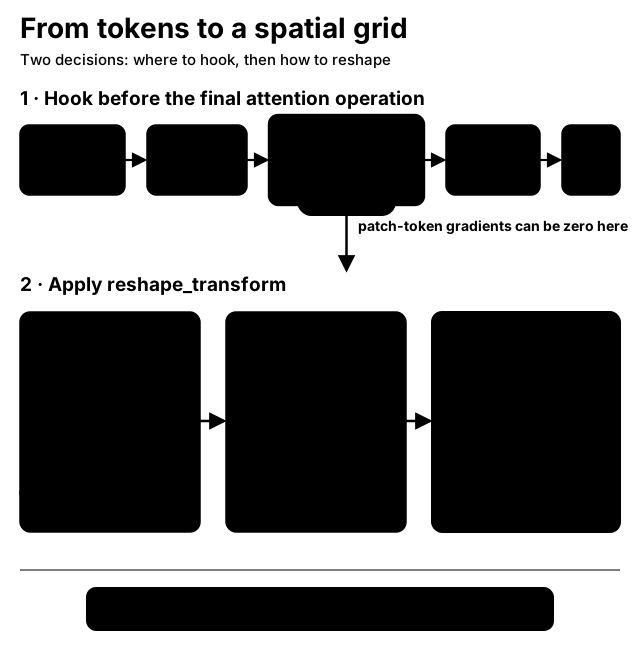
Use reshape_transform to convert the hooked tokens and their gradients back to a spatial grid. For a torchvision
ViT, drop the class token, reshape the remaining patch tokens, and move the embedding dimension before the spatial
dimensions:
from PIL import Image
from torchvision.models import ViT_B_16_Weights, vit_b_16
from torchcam.methods import GradCAM

weights = ViT_B_16_Weights.DEFAULT
model = vit_b_16(weights=weights).eval()
grid_size = model.image_size // model.patch_size
image = Image.open("path/to/image.jpg").convert("RGB")

def reshape_transform(tensor):
    patches = tensor[:, 1:, :].reshape(tensor.size(0), grid_size, grid_size, tensor.size(-1))
    return patches.permute(0, 3, 1, 2)

input_tensor = weights.transforms()(image).unsqueeze(0)
target_layer = model.encoder.layers[-2].ln_1

with GradCAM(model, target_layer, reshape_transform=reshape_transform) as extractor:
    scores = model(input_tensor)
    cam = extractor(scores[0].argmax().item(), scores)[0]
DeiT-Tiny follows the same pattern: target model.blocks[-1].norm1, drop model.num_prefix_tokens, and reshape
the remaining tokens using model.patch_embed.grid_size.
For a complete example without additional dependencies, run the official pretrained torchvision Swin-T (patch size 4, window size 7, input size 224) from the repository checkout:
uv run --extra scripts python scripts/cam_example.py \
    --arch swin_t --method GradCAM \
    --savefig swin_t_cam.png --noblock
The first run downloads the torchvision Swin-T weights. The script selects the model prediction and targets the
final block's norm2. This layer retains a 7×7 channels-last spatial grid, so its transform only moves the channel
axis before the spatial axes.
The exact transform is architecture-specific: models may use a different patch grid or have additional prefix
tokens such as a distillation token. Always specify target_layer when using reshape_transform. For a ViT,
choose a layer before the final attention operation; patch-token gradients are zero at the complete final block
output because classification uses only the class token. The selected module must return a tensor, and the same
transform is applied to every selected target layer. Keep the transform structural—token selection, reshaping, and
axis permutation—because TorchCAM applies it identically to activation and gradient tensors.
This enables activation- and gradient-based extractors such as LayerCAM, GradCAM, and ScoreCAM. The original
weight-based CAM method still requires its global-pooling and classifier-weight assumptions, which standard ViTs
do not satisfy. Attention rollout or attention flow are separate transformer-specific explanation techniques.
LeGrad for torchvision Vision Transformers
LeGrad uses the positive gradient of each layer-specific class
score with respect to the post-softmax attention probabilities. For layer \(l\), head \(h\), query \(q\), and key \(k\):
LeGrad does not multiply gradients by attention values. That multiplication is AttentionCAM. It also differs from GradCAM-on-tokens, which weights token activations, and attention rollout, which multiplies attention matrices across layers.
For torchvision VisionTransformer, target complete encoder blocks. The default layer score averages that block's
tokens, then applies model.encoder.ln and model.heads as the shared classifier projection:
from torchvision.models import ViT_B_16_Weights, vit_b_16
from torchcam.methods import LeGrad

weights = ViT_B_16_Weights.DEFAULT
model = vit_b_16(weights=weights).eval()
input_tensor = weights.transforms()(image).unsqueeze(0)
target_layers = list(model.encoder.layers)[-4:]

with LeGrad(model, target_layers, prefix_tokens=1) as extractor:
    scores = model(input_tensor)
    cam = extractor(scores[0].argmax().item())[0]
The 196 patch keys form a square 14×14 grid, so grid_shape is inferred. Pass grid_shape=(height, width) for a
non-square patch layout. Custom models must provide score_projection(tokens) -> logits and meet every condition
below:
| Requirement | Supported contract |
|---|---|
| Target output | One tensor shaped (batch, tokens, embedding). |
| Attention | Direct self_attention child using batch-first, shared-dimension nn.MultiheadAttention. |
| Attention mode | Self-attention without added key/value tokens or active attention dropout. |
| Prefix/grid | Configurable prefix count; square grid inferred or non-square grid specified explicitly. |
Swin, timm, OpenCLIP, cross-attention, attentional poolers, and arbitrary transformer layouts are not supported by
this initial implementation. Run the model with gradient tracking enabled; torch.no_grad() and
torch.inference_mode() cannot produce LeGrad maps.
3D and video models
Volumetric inputs work out of the box: set input_shape to your 3D input shape as (C, D, H, W) (i.e. excluding
the batch dimension) and the resulting map has shape (N, D, H, W). Visualize it slice by slice:
import matplotlib.pyplot as plt
from torchcam.methods import GradCAM

cam_extractor = GradCAM(model, target_layer="...", input_shape=(1, 64, 128, 128))
out = model(volume)                                  # volume: (N, C, D, H, W)
cam = cam_extractor(out.squeeze(0).argmax().item(), out)[0]   # (N, D, H, W)
plt.imshow(cam[0, 32].cpu().numpy())                 # one depth slice
Video models that output (N, C, T, H, W) features are handled the same way (the temporal axis behaves like an
extra spatial dimension). Note that overlay_mask works on 2D PIL images, so overlay each slice/frame separately.
Choosing a CAM method
| Method | Needs gradients | Relative cost | Notes |
|---|---|---|---|
CAM |
no | cheapest | needs global pooling + a single nn.Linear head (e.g. ResNet); fails on multi-FC heads like VGG |
GradCAM |
yes | one backward pass | robust default for most CNNs |
LayerCAM |
yes | one backward pass | best localization in our benchmark; ideal when fusing layers |
FinerCAM |
yes | one backward pass | contrastive fine-grained cues with GradCAM, GradCAMpp, or LayerCAM |
LeGrad |
yes | one gradient per selected layer | attention-gradient maps for supported torchvision-style ViTs |
RefineCAM |
depends on base | base method + cheap fusion | high-resolution fusion across at least two layers; defaults to GradCAMpp |
GradCAMpp / XGradCAM |
yes | one backward pass | alternative weighting schemes |
SmoothGradCAMpp |
yes | num_samples forwards |
sharper maps via noise averaging |
ScoreCAM / SSCAM / ISCAM |
no | many forwards (slow) | gradient-free; tune batch_size; useful when gradients are unavailable |
See the latency and faithfulness benchmarks in the README for concrete numbers, and the methods reference for the full API.
Token activation maps for VLMs
Gradient-based token maps across architectures
LayerCAM and GradCAM can explain a selected next-token logit with the same API used for image classifiers:
from torchcam.methods import LayerCAM

# inputs include the processed image and prompt plus earlier answer tokens, excluding the target token.
inputs["pixel_values"] = inputs["pixel_values"].clone().requires_grad_(True)
with LayerCAM(model, target_layer=visual_layer, reshape_transform=to_spatial_grid) as extractor:
    output = model(**inputs, use_cache=False, logits_to_keep=1)
    maps = extractor(token_id, output.logits[:, -1])
The CAM API stays the same; each architecture supplies a differentiable visual layer and a spatial reshape. The demo adapters cover BLIP, Qwen3-VL and Gemma 4 with a vision tower. Qwen's grouped patches must be reordered before projection; Gemma's explicit patch coordinates exclude padding. Qwen uses GradCAM on its main merger and all DeepStack injections; Gemma uses LayerCAM at the input normalization of its final vision block. These are feature/method presets using the same CAM API. Both target the selected token's log-odds against the rest of the vocabulary, removing common logit shifts without softmax saturation. Gradients start at the target features, so earlier frozen vision layers need no backward graph. Reconstructed processed pixels keep the overlay aligned. BLIP retains decoder cross-attention LayerCAM. Each map is conditional on the preceding caption tokens; a word predictable from text alone can have little image dependence.
This interface also applies to other differentiable VLMs; it does not automatically infer arbitrary patch layouts, video frames, crops or image stitching. Validate spatial ordering with an asymmetric image, compare the score with native prefix replay, and compare masking high- and low-ranked regions for several image-sensitive tokens. Gradient sensitivity alone does not establish causal relevance. Quantized inference engines may not expose gradients.
Gradient-free TAM
TAM explains which image regions activate a selected vocabulary token.
It uses final language-model states, rather than the vision encoder's features, and requires no gradients,
hooks, or extra model inference. Earlier text's estimated interference is removed before rank Gaussian smoothing.
The example below explains the first greedy answer token for a prepared Hugging Face Qwen2.5-VL model, processor,
and inputs. It assumes one image and batch size one. Transformers is only needed by the caller.
import torch
from torchcam.methods import TAM

with torch.inference_mode():
    output = model(**inputs, output_hidden_states=True, logits_to_keep=1, use_cache=False)
states = output.hidden_states[-1]  # (1, sequence, language_model_width), after the final norm
input_ids = inputs["input_ids"][0]
image_mask = input_ids == model.config.image_token_id
special_ids = torch.tensor(processor.tokenizer.all_special_ids, device=input_ids.device)
text_mask = ~torch.isin(input_ids, special_ids) & inputs["attention_mask"][0].bool()
text_mask &= ~image_mask
merge = model.config.vision_config.spatial_merge_size
height, width = (int(dim) // merge for dim in inputs["image_grid_thw"][0, 1:])

extractor = TAM(model.get_output_embeddings())
maps = extractor(
    token_id=output.logits[:, -1].argmax(-1).tolist(),
    visual_features=states[:, image_mask].reshape(1, height, width, states.shape[-1]),
    context_features=states[:, text_mask],
    context_ids=inputs["input_ids"][:, text_mask],
)  # Tensor (1, height, width); use maps[0] with overlay_mask
For later answer tokens, retain the initial visual states and extend the text context with earlier generated IDs and the final states that predicted them. Explain the current token before adding it to that context. Other architectures need their own image-token selection and spatial ordering; this example does not establish automatic support for every VLM, multi-image layout, video, or quantized output head.
TAM returns only visual maps, normalized independently per image; normalized=False retains their raw scale.
Repeated context IDs matching the target are excluded, an empty context is supported, and kernel_size=1 disables
smoothing. Half-precision states are accumulated in float32. This implementation selects only the relevant output
weights instead of materializing image-token logits for the entire vocabulary. It implements the visual algorithm
from the paper, without the reference application's text rendering or joint
image/text normalization. Its maps are estimates of visual relevance, not proof of a causal explanation.
Using CAM during or after training
CAM methods are post-hoc: run them on a trained model in eval() mode to interpret its predictions — they
are not a training objective. To quantify how faithful a method is on your own data, use the
ClassificationMetric.
Metrics re-run masked or perturbed inputs in batches, so the model must support batched inference and return the
same output structure for those forwards.